A suspicious shop shows up. Your team wants to know: Is it copying your website? How urgent is it? Is someone already on it? A domain in a table doesn't answer much of that.
In October we rebuilt the dashboard from scratch and cut the steps from the overview to a takedown. We also added two new ways to ask questions about your data: the nebty Assistant in the app, and nebty in Claude and ChatGPT. That felt like enough for a new version number.
We are rolling out the nebty Assistant and the New findings view to all users gradually.
The dashboard shows what's open first
The brand overview now shows open findings from Domains, Search, Social Media and Ads in separate cards. When you open a brand, you see right away where something needs attention. Once a takedown is running for a finding, it leaves the open tasks and stays visible as a case.
You can decide right on the cards. If a profile belongs to your company, mark it as This is us. If a result doesn't fit, mark it as Not relevant. If it's a real threat, request a takedown from there.
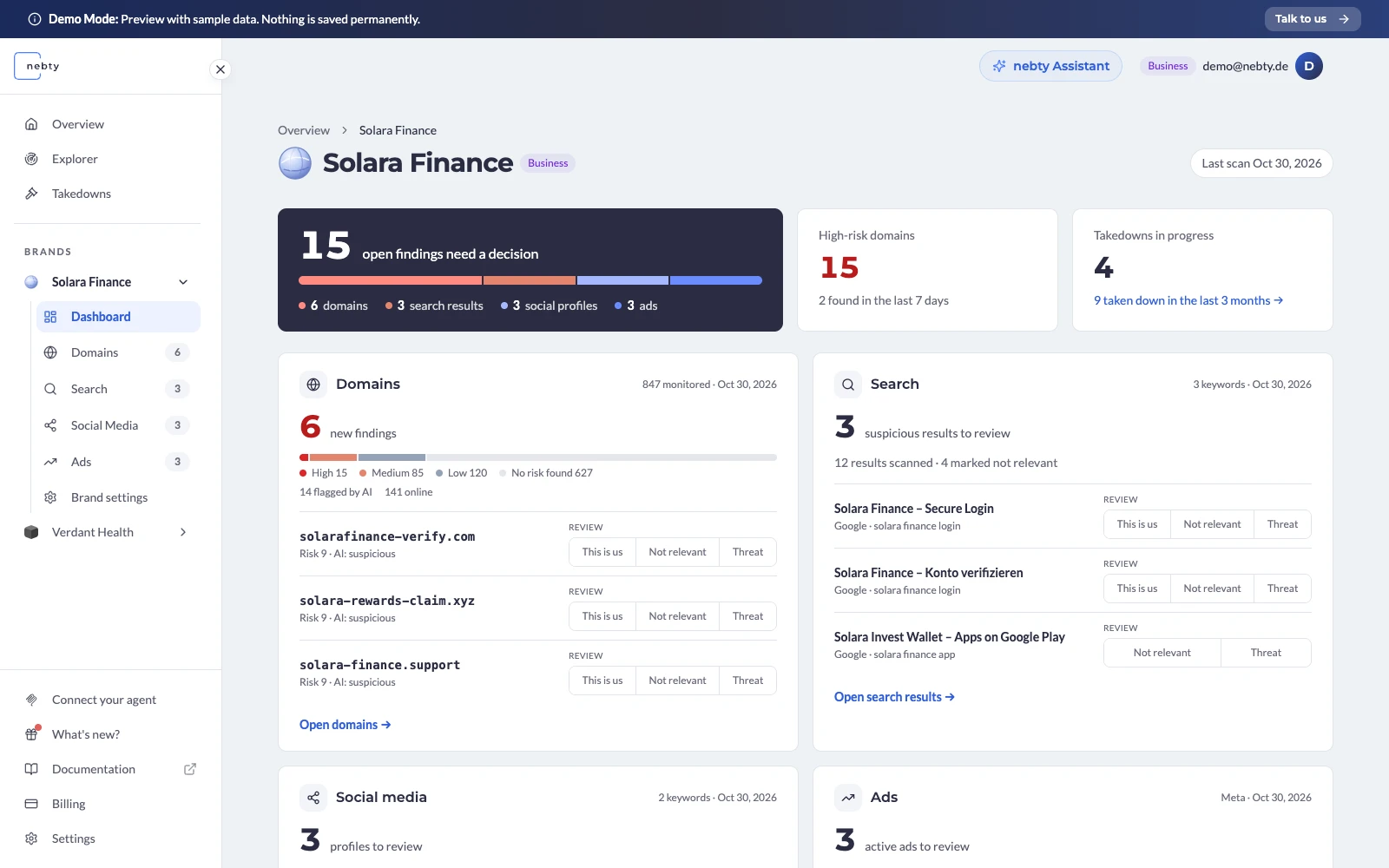
If you manage one brand, you land on its overview right after signing in. With several brands, you start in the shared overview and open each brand from there.
New findings: what you haven't seen yet
Monitoring keeps bringing in new results while your team is still working through older ones. So the New findings view only shows medium- and high-risk domains that you haven't looked at yet.
Each entry says why it's there: the domain is new, back online or high risk for the first time. Open it, mark it as seen or request a takedown directly. When you're done, mark the whole list as seen in one go.
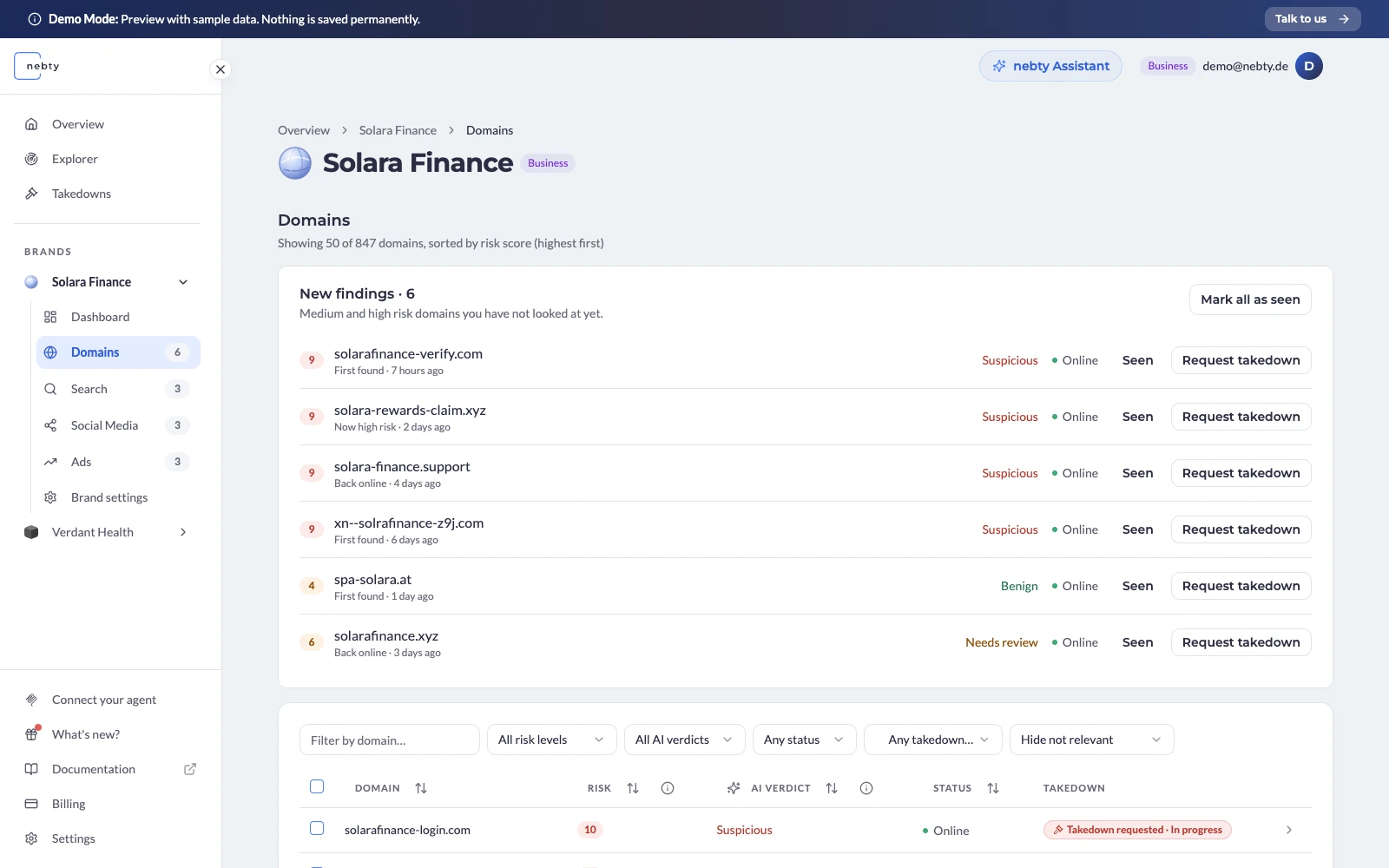
What you've seen is tracked for you alone. The sidebar, brand cards and overview all count the same list, so you don't lose your place when you switch pages. A takedown request or a "Not relevant" decision, on the other hand, applies to the whole brand and so to your whole team.
The nebty Assistant answers questions about your data
Sometimes it's about a single finding, sometimes about where things stand before your next meeting. The nebty Assistant answers both in the app, using the data your account has access to.
Try asking: “Which high-risk domains should I review first?” or “What changed in our takedowns since yesterday?” The Assistant links to the findings and cases it relied on, and builds tables or charts when they help. A daily briefing sums up what's new since yesterday.
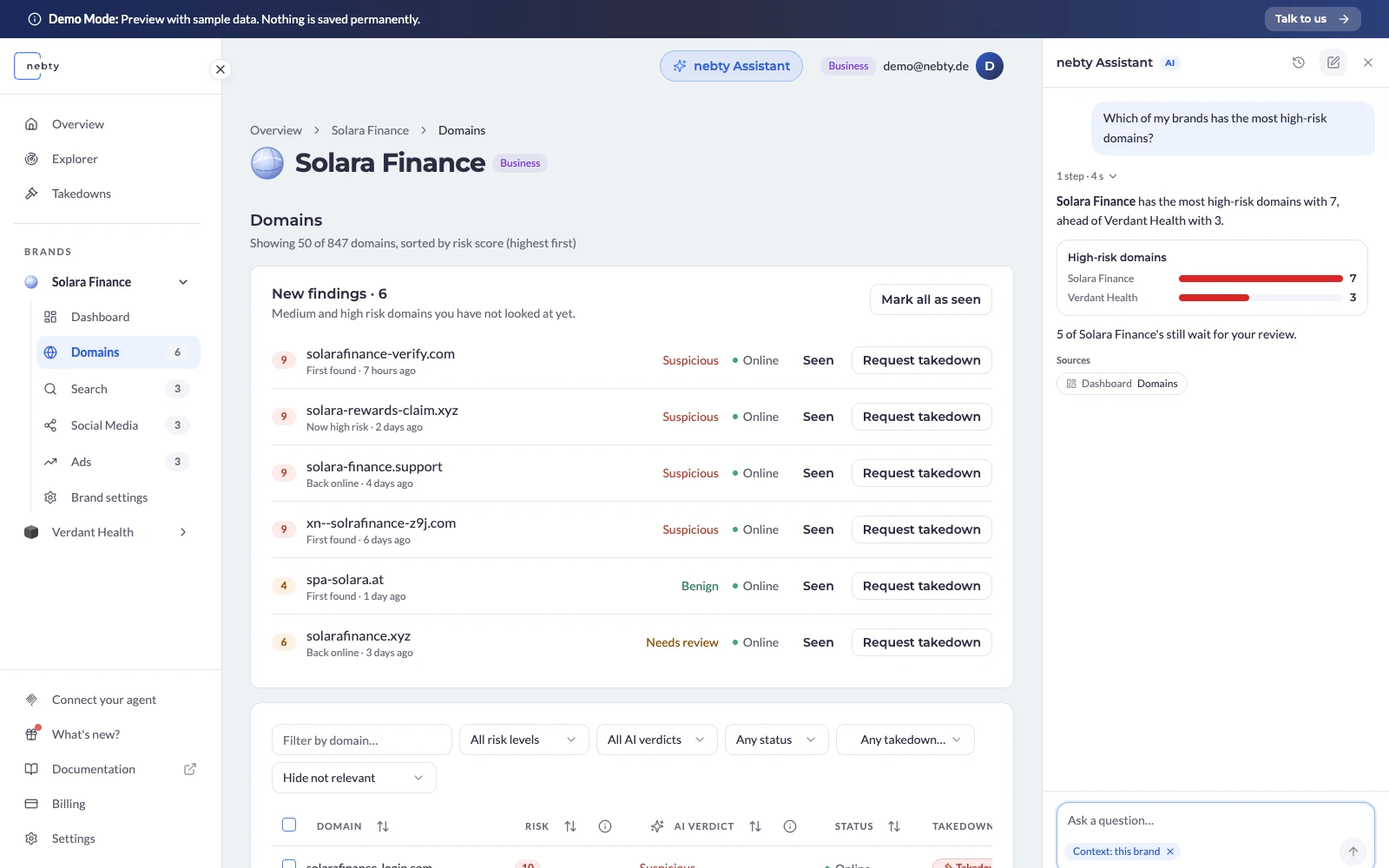
The Assistant can also suggest actions, such as a review decision, a keyword change or a takedown request. Nothing runs until you confirm, and you see which finding the action applies to before you do.
The conversation stays open in the side panel while you keep working in the app.
nebty in Claude and ChatGPT
If your team already works in Claude or ChatGPT, you can now query your nebty data there. nebty is listed in the official Claude Directory and in the ChatGPT plugin marketplace, and you can install it straight from there. Our MCP server is open to all nebty users.
Then just ask in the chat: Which suspicious domains are there for our brand? Which takedowns are still open? Claude or ChatGPT pulls the matching data from nebty and uses it in its answer. Before a team meeting, for example: get a summary first, then ask about individual cases.
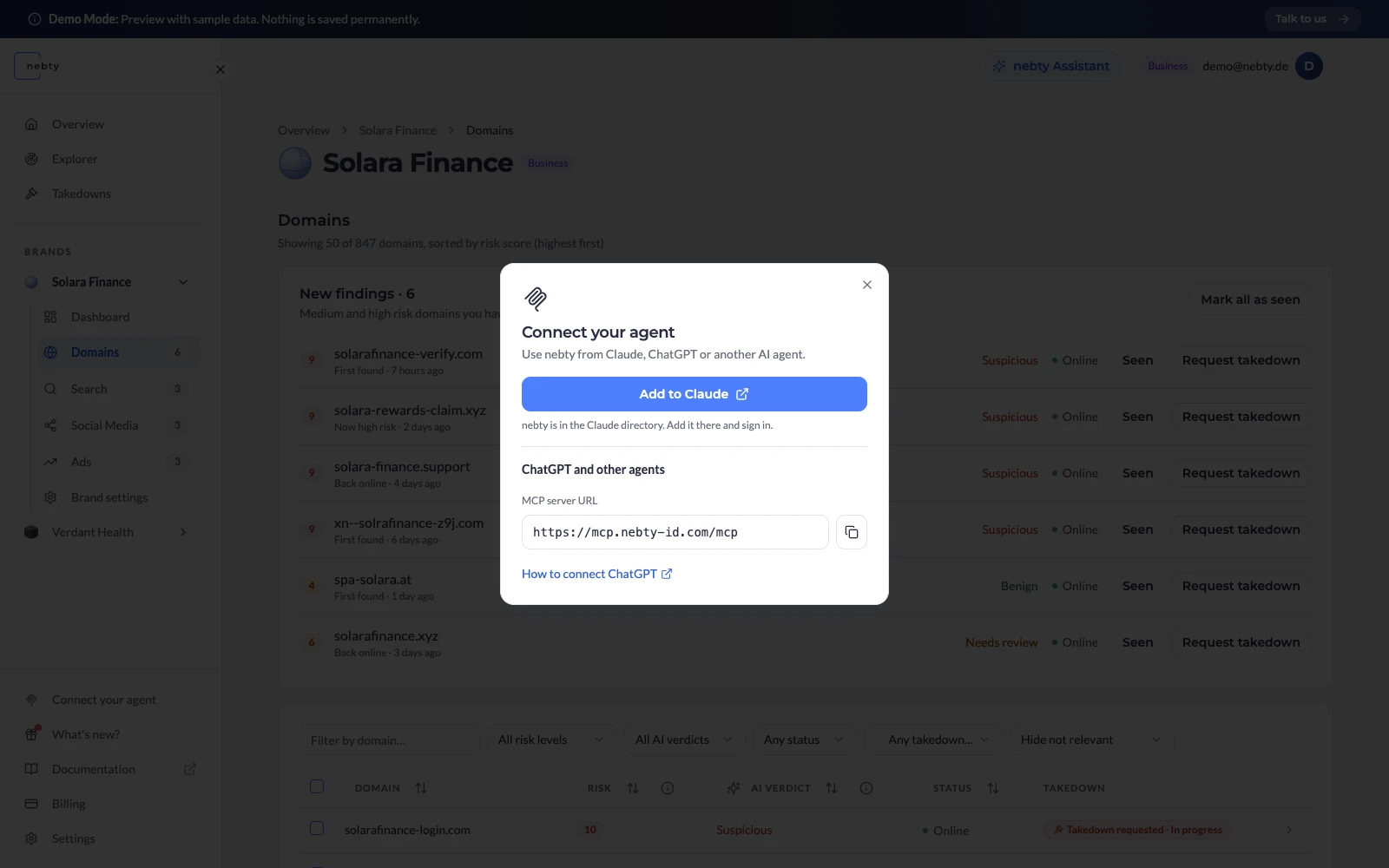
To connect, you sign in to nebty and approve access. Your existing permissions apply. Under Settings > Connected applications you can see every connection and revoke it at any time.
One difference from the built-in Assistant: through MCP, external assistants read your findings and cases and, with extra consent, can change certain review states. You still start new takedowns in the dashboard or through the nebty Assistant. Our connection guide has the details.
Alerts, weekly reports and takedowns
Alerts are now personal. Each team member sets their own risk threshold, and a daily digest groups findings from all your brands. When a finding that was already reported reaches high risk for the first time, you get a new alert.
We rebuilt the weekly reports. The Excel workbook covers Domains, Search, Social Media, Meta Ads, LinkedIn Team Radar and takedowns, and opens with an overview of the key findings and next steps. The report and the email that comes with it use the same data. Where monitoring is missing or paused, the report says so.
For takedowns, you now see the outcome of the last case right on the domain. After a case closes, nebty checks the domain again. You sign the Power of Attorney digitally and get the signed PDF back with your confirmation.
Keywords, trials and the Impersonation Explorer
Additional brand keywords now start their own profile searches on Instagram, Facebook and TikTok. Negative keywords apply across all channels and also hide matching findings you already have. If you remove an exclusion, those results can come back.
New customers sign up on their own and can trial monitoring for up to 14 days. A progress display and a checklist guide them through the first scan. If you've only used nebty for individual takedowns so far, a brand admin can add monitoring right in the app.
For a quick first investigation, the Impersonation Explorer is still there. Its results are now sorted by risk, and when the scan finishes you get an email with a direct link, so there's no need to wait on the page. In Settings you can also manage your notifications and, with the right permissions, your API key.
Try nebty 2.0
In the public demo you can click through the new dashboard with sample data, look at the new findings and ask the Assistant a few prepared questions. If you already use nebty, you'll find the new features in your account. The changelog lists every October change in detail.